5 Ways To Add Randomness To Life

The Internet has added an astounding diversity of choices to everyday life…but somehow the more choices that we move to the digital world…the sameyer(?) things we choose.
I have access to all the music in the history of recorded music. But somehow I still listen to my personal Top 40. I have access to dozens of restaurants and eat at the same 3 – etc, etc. It’s great to have favorites and be a regular…but also good to know how to break out of a rut when usually “breaking out of a rut” just means copying other people doing the exact same trendy stuff.
As the Cheshire Cat says to Alice – if you don’t care which way you go, then it doesn’t much matter which way you go.
*and yes, I’m using “random” here for finding a choice pattern that does not match your typical choice pattern at all.
Use A Randomness Calculator
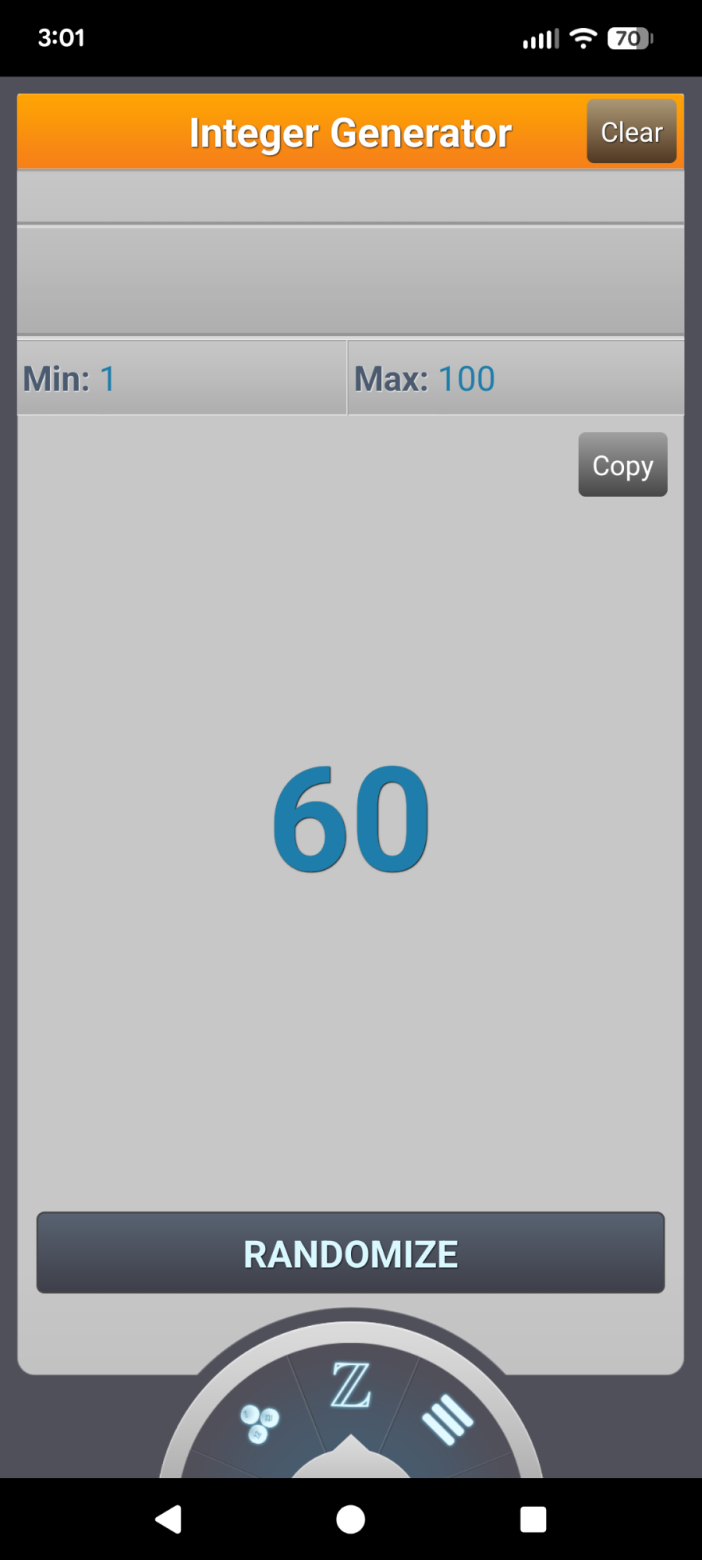
Random.org has an iOS / Android app that is a true random number service, based on atmospheric noise.
I’ve been using the integer generator when there are several choices, but it has all sorts of features that are like rolling dice or flipping a coin…except that it’s in the pocket already.
The Obituaries
I stole this idea from MIT. Our attention to people is anything but random. The idea is simple – it randomizes the people that you pay attention to.
The key is to look for topics, ideas, interests, styles, etc that you’d never think about otherwise. Here’s a recent obituary that I’m thankful I read.
Use the RAND Function in Google Sheets
Create two columns. In Column A, add your choices (ideally large and diverse). In Column B, run =rand() down the column. Copy and paste values (so it doesn’t regenerated numbers). Filter and sort A to Z. The top one is your choice. Works great for lists of shows, books, etc.
Look for Random, Curated Lists
There are still a few people hand-curating the Internet. But the best random paths are in books and magazines with references and bibliographies.
Wikipedia Random Article
Wikipedia has so many ways to randomly access a new rabbit hole of knowledge. It’s really easy in their app (where they even have a new Discover feature).
Algorithm Curveball
And, when all else fails, why not just dig through the hidden categories on Netflix or try a music genre you don’t like or choose a trip based on flight ticket price, and just mess up your own Top 40.